
- ViraStack Start
v2.1.0Minor
A shorter, clearer ViraStack Start CLI
Step counters, a ViraStack badge, colored help and short errors; projects and templates are unchanged.
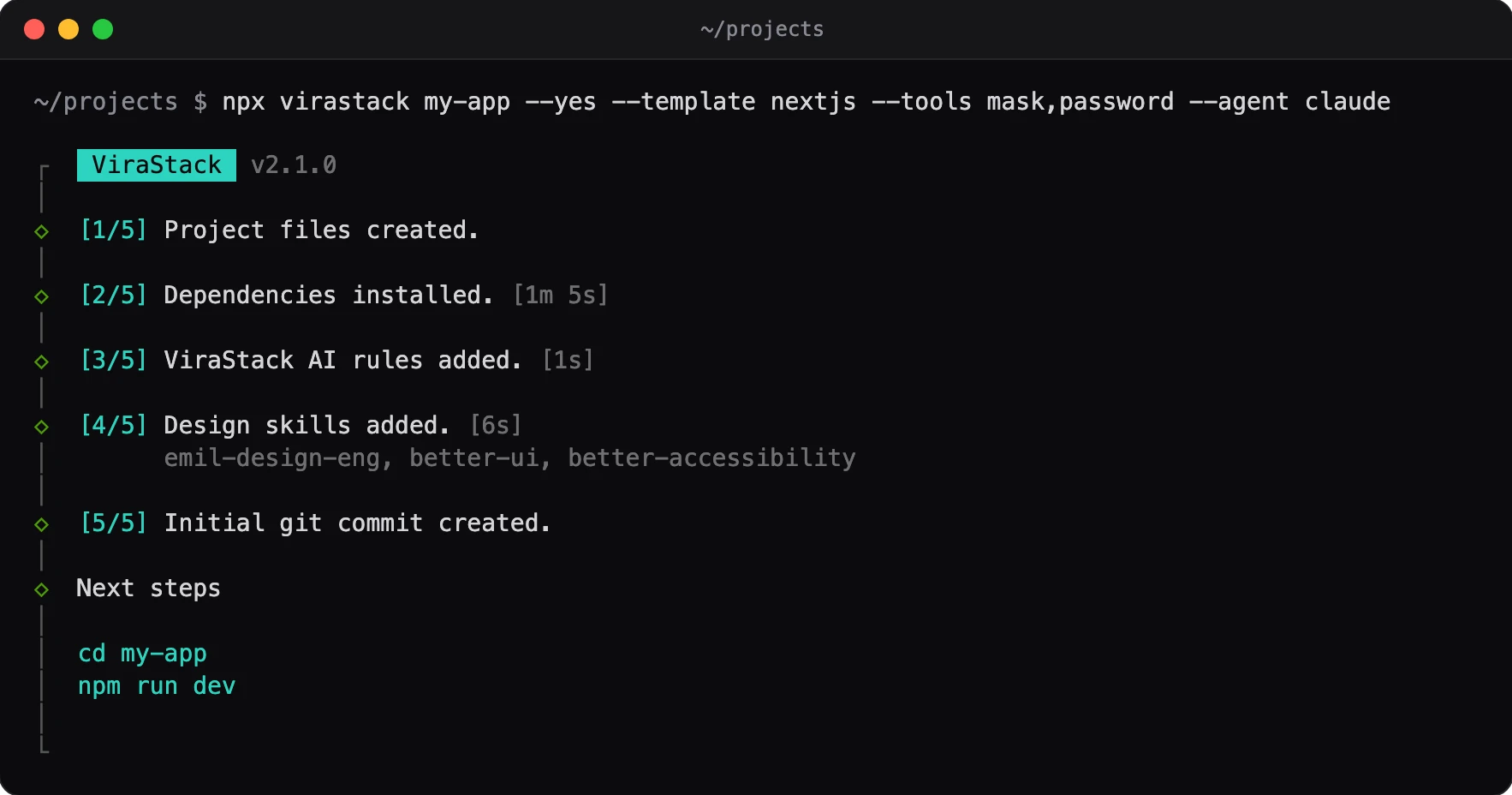
What changed
- Badge and accent color: The run starts with a ViraStack badge and the version. Step counters, spinners and highlights use the terminal's cyan, so they follow your theme.
- Step counters: Each step shows
[n/total]. A long step shows a dimmed timer, and a failed step gets a red mark. - Short errors: A failure shows its first line and the command's last 8 lines, dimmed, instead of the whole output.
- Design skills: They are added one by one with progress, and their names show on a dimmed line under the step.
- Next steps: Only the commands, without a frame or a docs link.
- Tool choices: Short names (
mask,password,address,ai) instead of package names. - Colored
--help: Headings are bold, commands and flags cyan.NO_COLORkeeps it plain. - Shorter run: The telemetry notice, the selection summary and the closing line are gone. Telemetry itself is unchanged;
--telemetry-disableturns it off. - Turkish copy: The CLI addresses you as "sen".
Why
- Less to read: The run printed a notice, a summary of your own choices and a closing line around the steps. Now it shows the steps and the commands you need next.
- Errors you can act on: A failed install printed the whole command output. The first line and the last lines usually hold the reason.
- Limits: We checked the output with tests and on macOS. We did not try Windows terminals or light terminal themes.
Migration
Nothing to do. Projects created with 2.0.0 are the same; only the CLI's output changed.